
How to Check Maharashtra SSC Result 2026 via DigiLocker & SMS – Steps to Guide
The wait is over for the Maharashtra SSC Result 2026 can feel overwhelming, but checking your result has never been easier. Whether the official website is slow or not loading, you can still access your marksheet quickly using DigiLocker or SMS services.
In this guide, we’ll walk you through simple, student-friendly steps to check your Maharashtra SSC result anytime, anywhere—without stress.
SSC Result 2026 Maharashtra Board Newest Updates Check Right Now
- Maharashtra SSC Result 2026 OUT: Check MSBSHSE 10th Result Direct Link
- How to Check SSC Result 2026 Maharashtra Board Online ?
Visit the official website for Maharashtra SSC Result 2026:
Why Use DigiLocker & SMS for SSC Maharashtra Result 2026?
Many students face issues like:
- Website crashes due to heavy traffic
- Slow loading pages
- Login errors during peak result time
That’s where alternative methods like DigiLocker and SMS come in handy.
Benefits:
- Instant access to results
- No need for high-speed internet
- Official digital marksheet via DigiLocker
- Works even during website downtime
How to Check Maharashtra SSC Result 2026 via DigiLocker
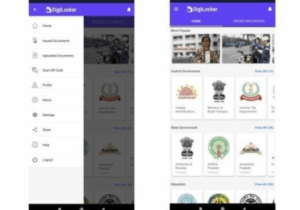
The DigiLocker app allows students to access official documents issued by boards.
Step-by-Step Process:
- Download or open the DigiLocker app/website
- Sign in using your mobile number or Aadhaar
- Go to the “Education” or “Results” section
- Select your SSC Board (e.g., Maharashtra, CBSE, etc.)
- Enter your Roll Number / Seat Number
- Click on Get Document
- Your digital marksheet will appear on the screen
Pro Tip: Save your marksheet in DigiLocker for future use—it is legally valid for admissions and verification.
How to Check Maharashtra SSC Result 2026 via SMS
If you don’t have internet access, checking your SSC Result via SMS is a reliable option.
Steps to Follow:
- Open the SMS app on your phone
- Type the message in the given format:
SSC <Roll Number> - Send it to the official number provided by your board
- You will receive your result as an SMS reply
Important Notes:
- SMS charges may apply
- Format may vary depending on the board
- Keep your roll number ready
Details Required to Check SSC Result 2026 Maharashtra Board
Before checking your result, keep these details handy:
- Roll Number / Seat Number
- Date of Birth (if required)
- Registered Mobile Number (for DigiLocker)
Common Issues & Quick Fixes
Problem: Website not loading : Use DigiLocker or SMS
Problem: Forgot roll number : Check admit card or school records
Problem: Result not showing : Wait and retry after some time
Maharashtra SSC Result 2026: What to Do After Checking?
Once you’ve checked your result:
- Download and save your marksheet
- Apply for revaluation (if needed)
- Start planning for next academic steps
- Keep multiple copies for admission
Final Thoughts
Checking your SSC Result 2026 doesn’t have to be stressful. With options like DigiLocker and SMS, you can skip the long wait times and access your result smoothly—even during peak traffic hours.
Stay calm, keep your details ready, and choose the method that works best for you.
FAQs for SSC Result 2026 Maharashtra Board
1. How can I check SSC Result 2026 online quickly?
You can check SSC Result 2026 through the official board website, via DigiLocker, or by using SMS services. DigiLocker is the fastest option during heavy traffic.
2. What is the easiest way to check SSC Result 2026 without website issues?
The easiest way is through DigiLocker or SMS, as official websites often crash due to high traffic right after result announcements.
3. Can I check SSC Result 2026 via SMS on any mobile phone?
Yes, you can check your SSC result using any basic mobile phone by sending an SMS in the prescribed format provided by your board.
4. What is the SMS format to check SSC Result 2026?
The general format is: SSC <Roll Number> Send it to the official number released by your board. The exact format may vary by state board.